Exporting data to Excel
UXM CSV Export Settings
UXM exports CSV files with the following configuration:
- Rows are separated by line breaks (newline characters)
- Decimal separator:
. - Thousand separator:
, - Field/column separator:
; - Fields containing text, dots, or commas are enclosed in double quotes
- File encoding: UTF-8 (without BOM)
Note:
Excel may parse values incorrectly if your system's regional settings use , as the decimal separator (e.g., Danish, English - Great Britain).
Option 1: Text to Columns
- Double-click the CSV file to open it in Excel
- If the data is not split into multiple columns:
- Select column A
- Go to Data → Text to Columns
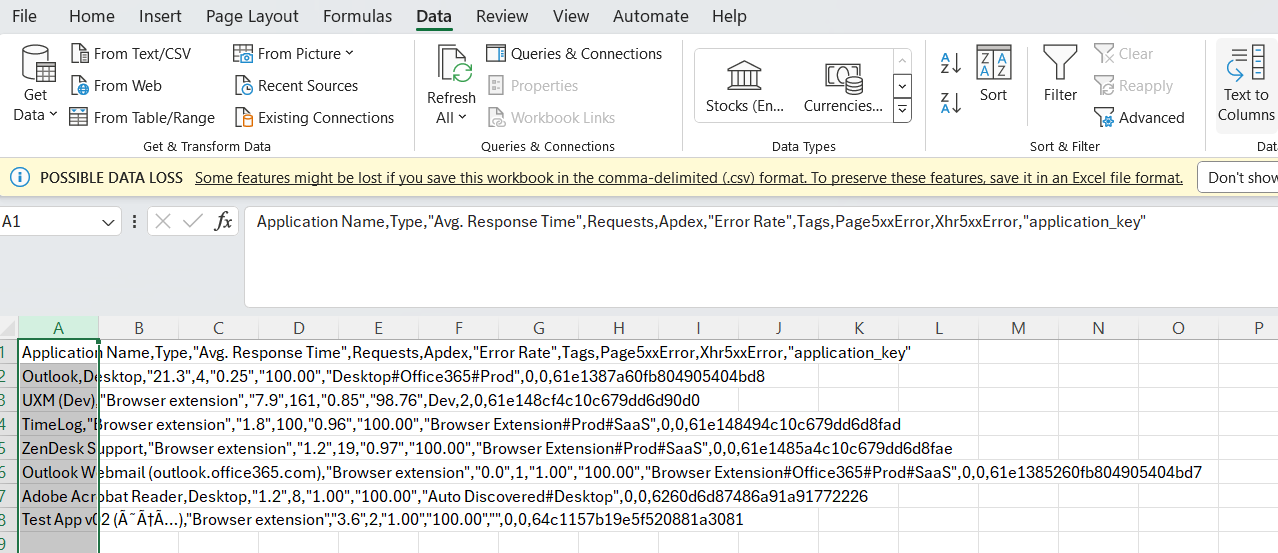
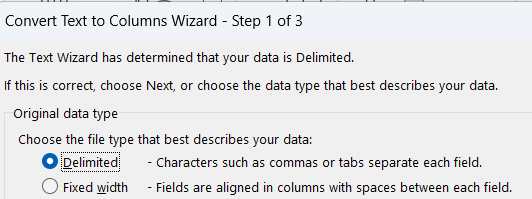
- In the wizard:
- Choose Delimited and click Next
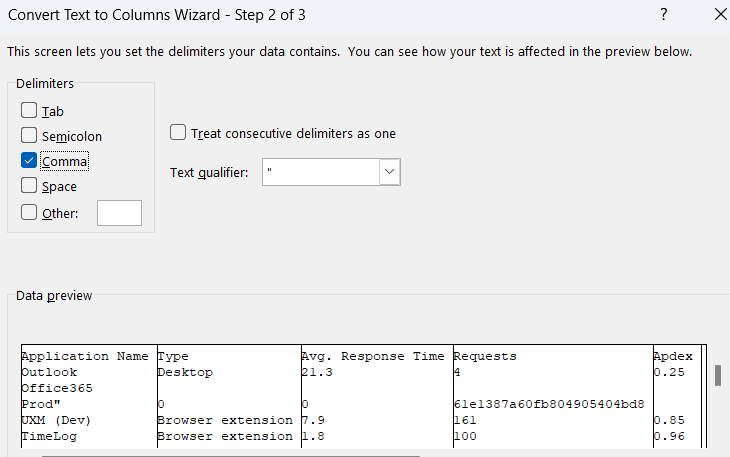
- Select Comma as the delimiter and click Next
- Click Advanced and set:
- Decimal separator:
. - Thousands separator:
,
- Decimal separator:
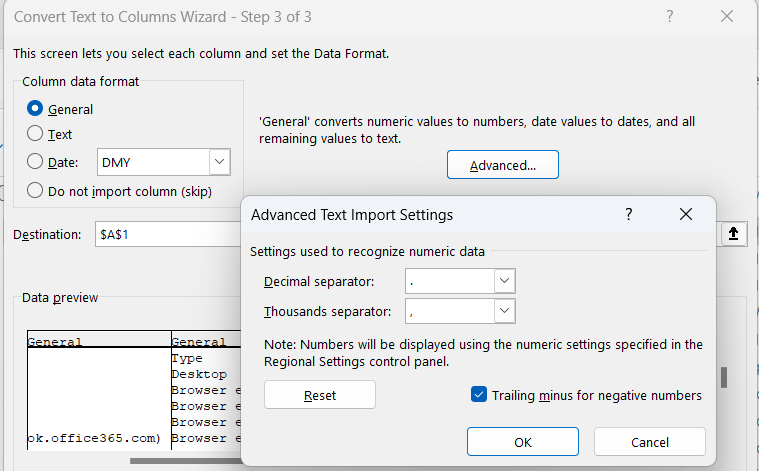
- Click OK, then Finish to convert the CSV into columns
Option 2: Change Separators Used by Excel
- Open Excel and go to File → Options → Advanced

- Uncheck Use system separators
- Set:
- Decimal separator:
. - Thousands separator:
,
- Decimal separator:
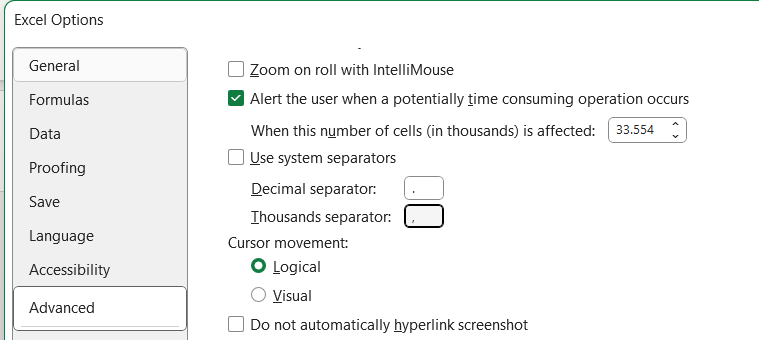
- Re-open the CSV file
- The decimals should now be displayed correctly