Monitoring Microsoft Teams call quality (CQD) via Azure Functions
Monitoring Microsoft Teams Call Quality (CQD) via Azure Functions
Using Azure Functions removes the need to open or reverse proxy data from Microsoft to your internal Splunk Heavy Forwarder. Splunk instead pulls data from Azure Storage Queue and Microsoft Graph.
Overview
Audio / Video / Desktop Sharing
- Azure AD tenant sets up an Application Registration with required API permissions
- Azure Functions subscribes to events via Microsoft Graph
- Microsoft sends call quality data to Azure Functions (delay: ~30 minutes to 6 hours)
- UXM polls Azure Storage Queue every 60 seconds and retrieves data
Firewall Requirements (On-Premise)
Ensure outbound access on port 443 to:
- https://graph.microsoft.com
- https://login.microsoftonline.com
- https://*.queue.core.windows.net
Azure AD – Application Registration
-
Navigate to:
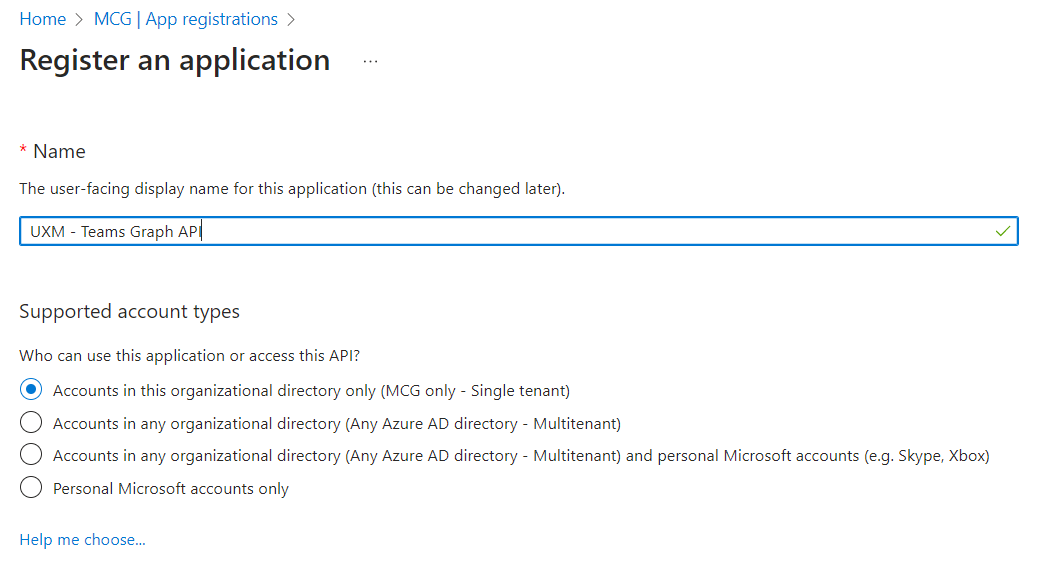
- Azure Active Directory → App registrations → New registration
-
Configure:
-
Name (e.g., UXM - Teams Graph API)
-
Supported account type: Single tenant
-
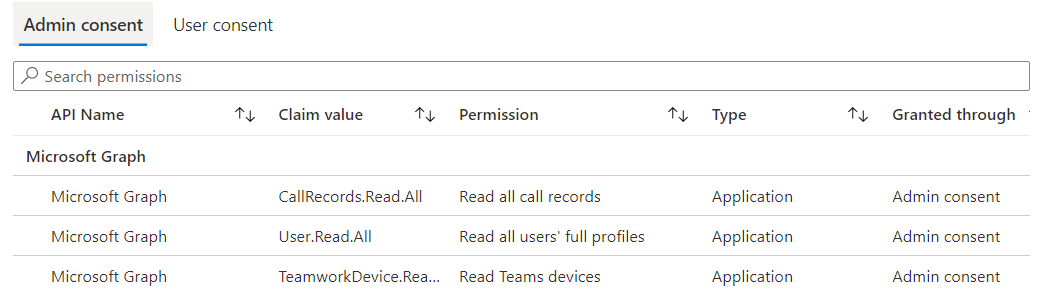
API Permissions
-
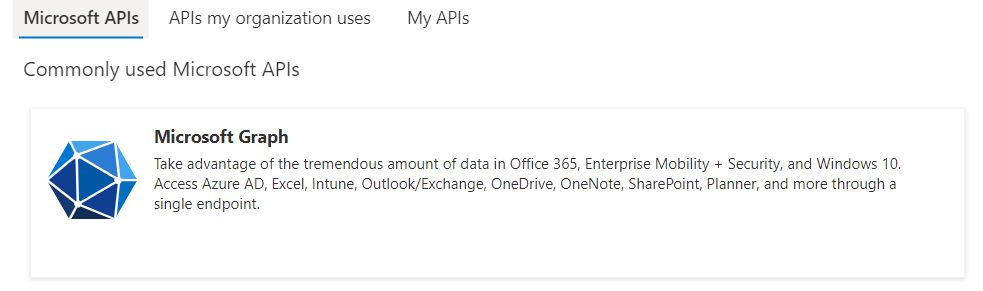
Go to API Permissions → Add a permission → Microsoft Graph
-
Add:
-
CallRecords.Read.All(Application) -
User.Read.All(Application) -
TeamworkDevice.Read.All(Application) -
Reports.Read.All(Application)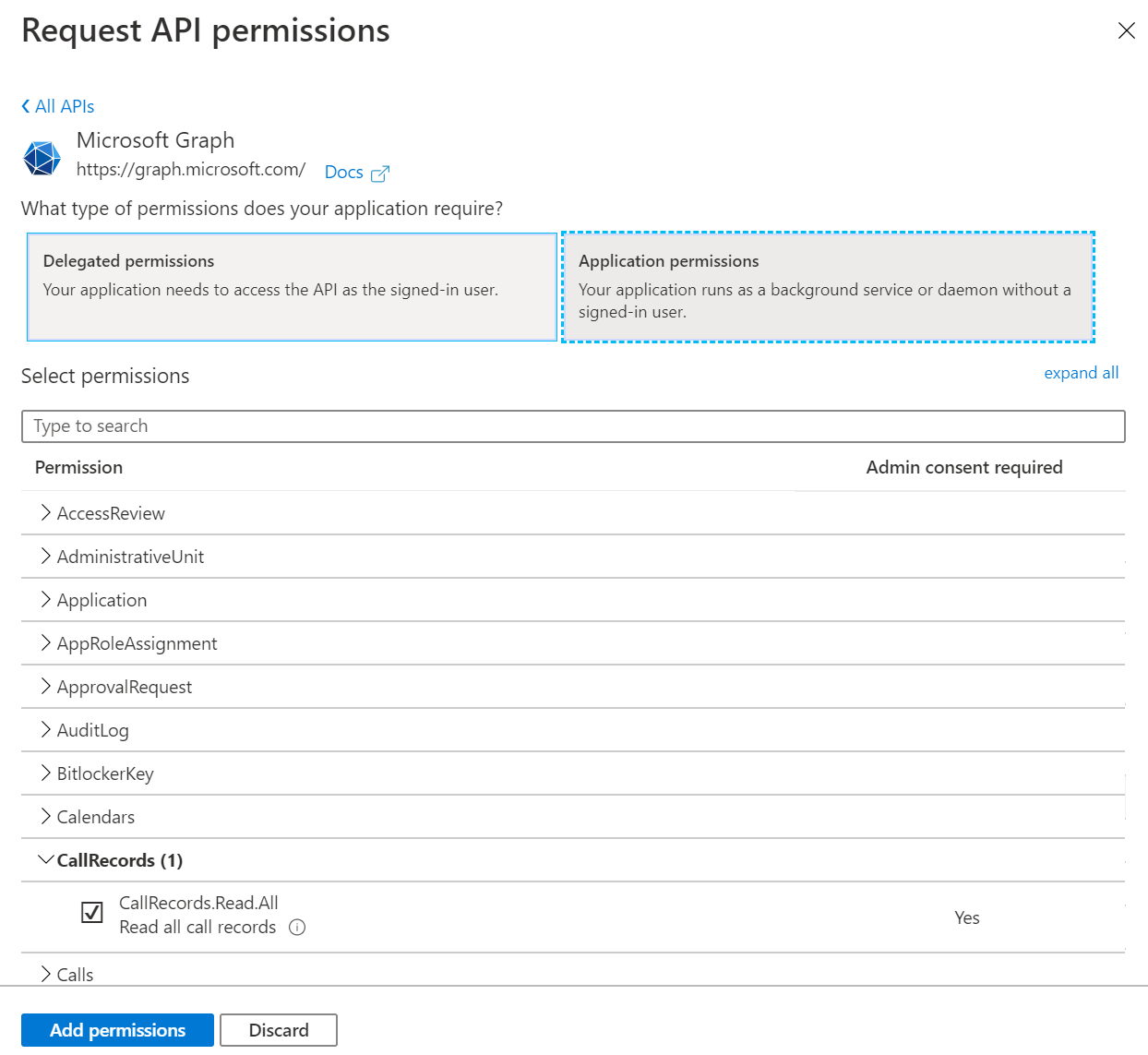
-
Click Grant admin consent
Client Secret
-
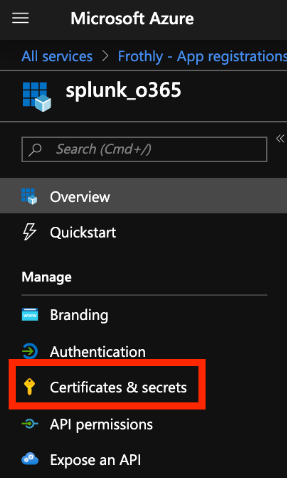
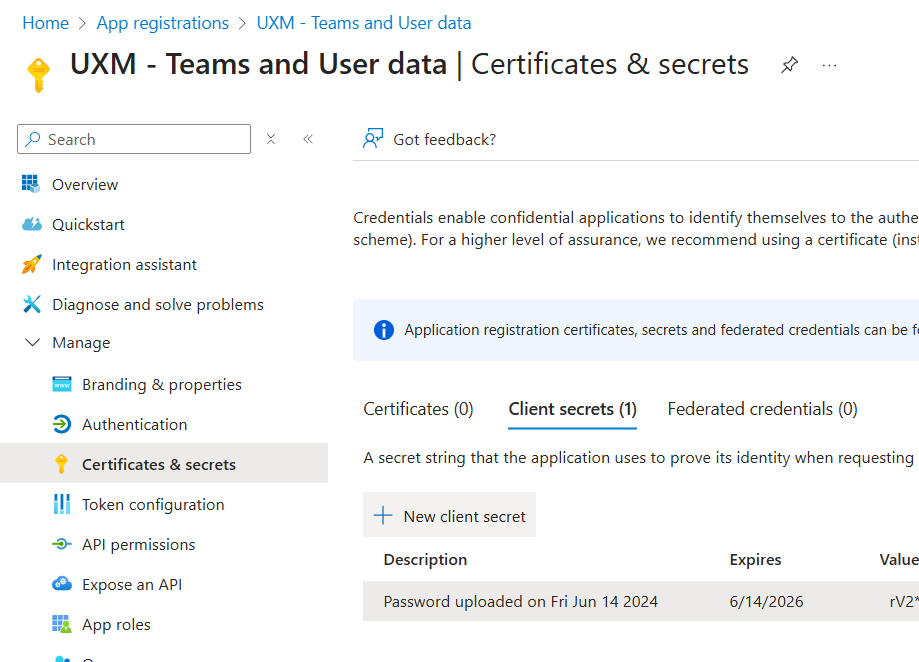
Go to Certificates & Secrets
-
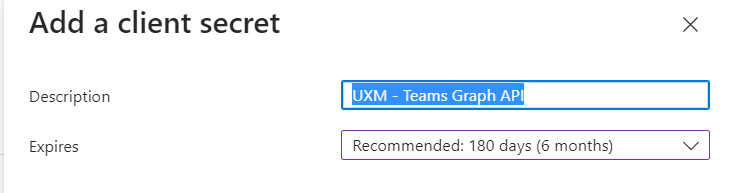
Click New client secret

-
Copy and store the secret securely
Application Details
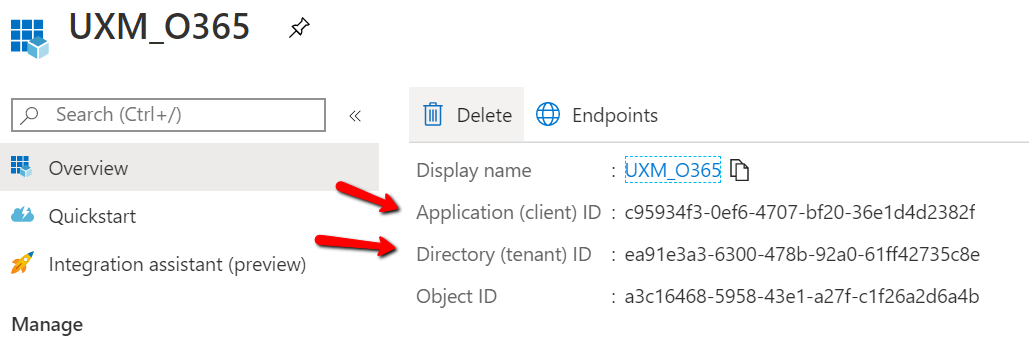
- Copy:
-
Application (Client) ID
-
Directory (Tenant) ID
-
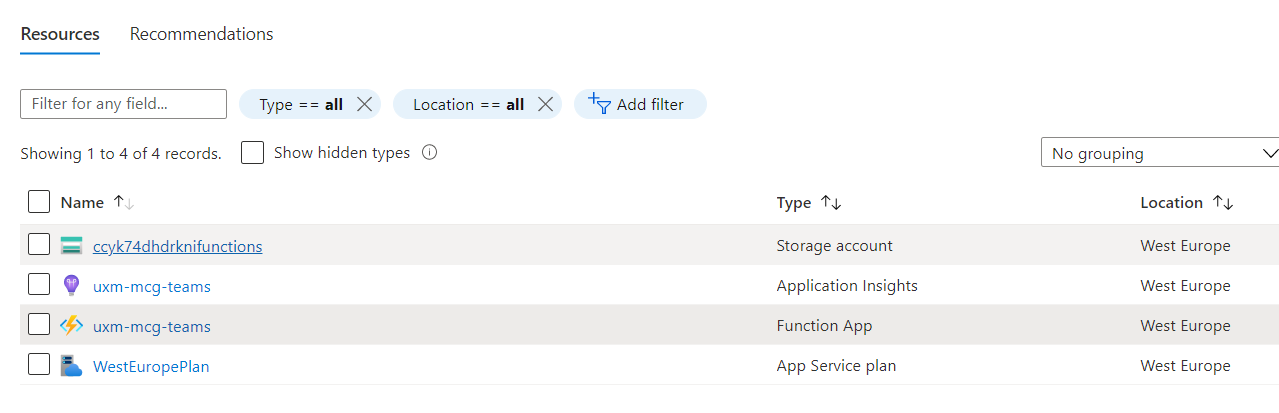
Setup Azure Functions
Deploy Template
-
Open deployment URL:
https://portal.azure.com/#create/Microsoft.Template/uri/https%3A%2F%2Fraw.githubusercontent.com%2Fuxmapp%2Fazure-functions-splunk%2Fmaster%2Fgraph%2Fdeploy%2FazureDeploy.json -
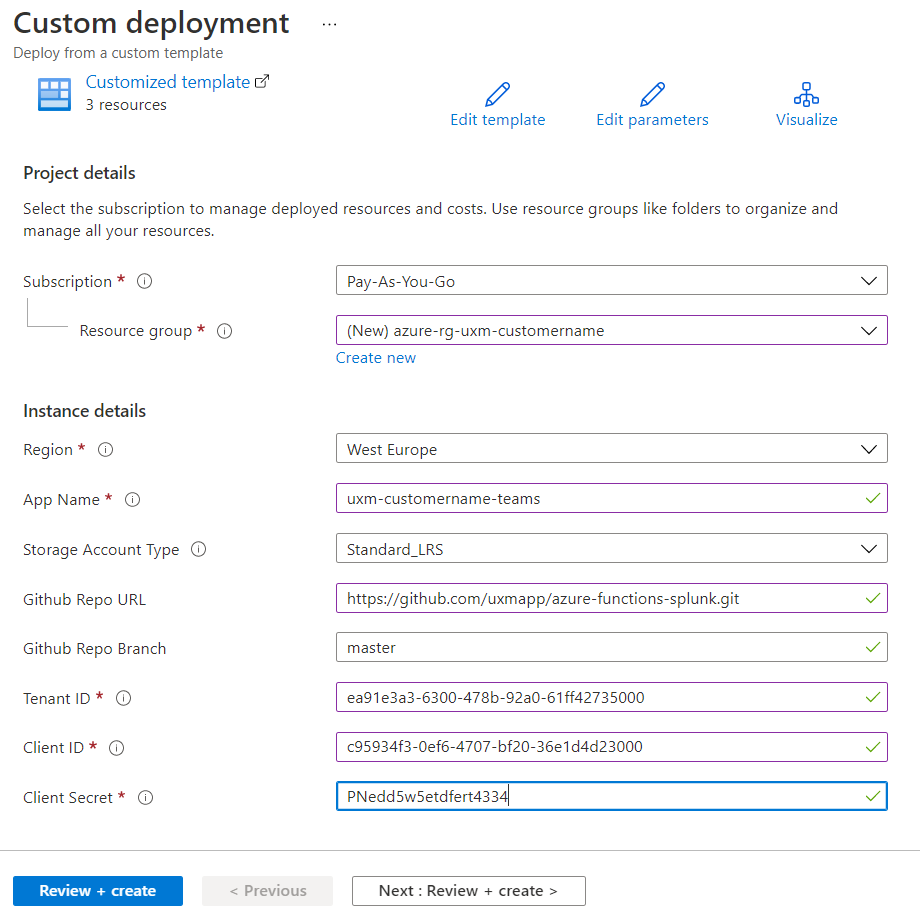
Fill in required fields:
-
Resource Group: Create new resource group following your organizations naming convention, for example azure-rg-uxm-customername
-
App Name: uxm-customername-teams
-
Github Repo URL: https://github.com/uxmapp/azure-functions-splunk.git
-
Github Repo Branch: master
-
Tenant ID: Tenant ID from application registration
-
Client ID: Client ID from application registration
-
Client Secret: Client Secret from application registration
-
Click Review + Create
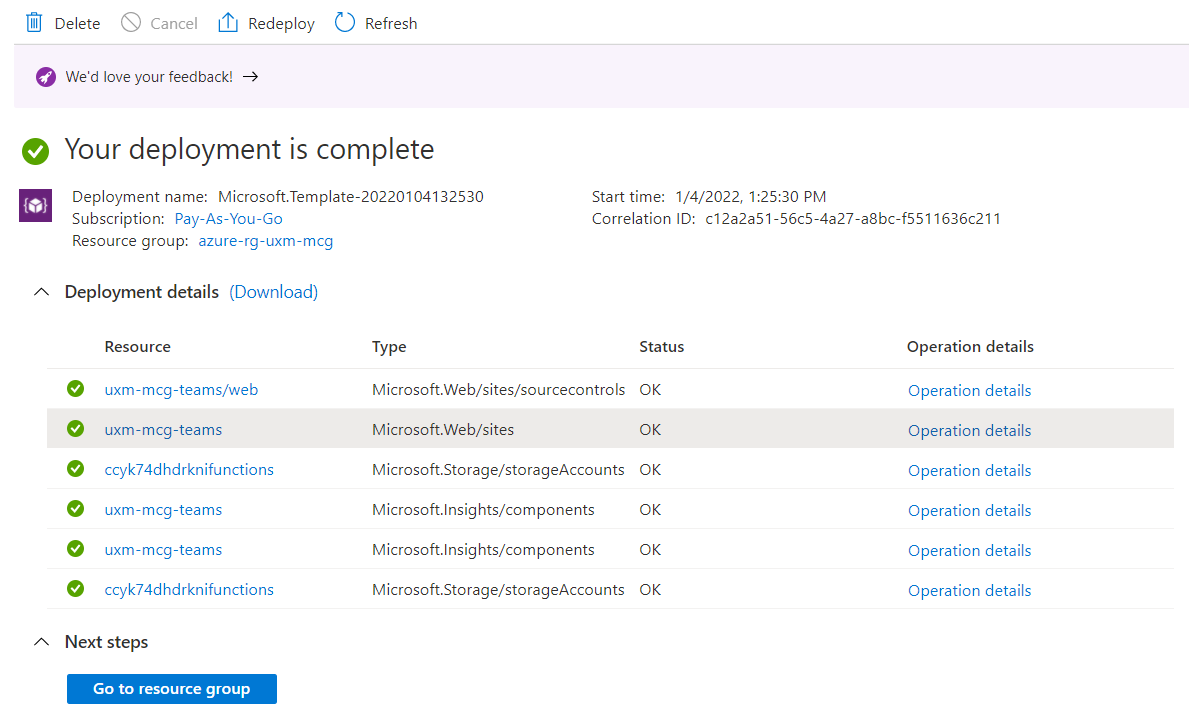
Create Subscription
-
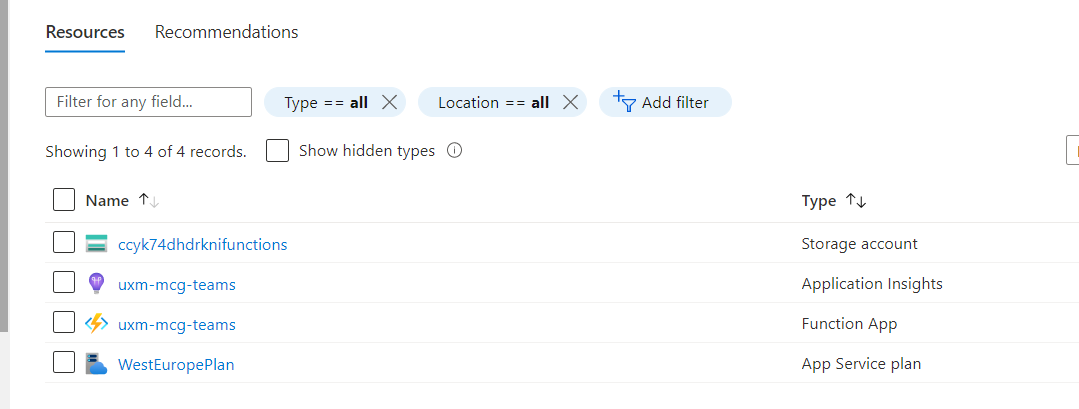
Open Function App
-
Select Functions → create-subscription
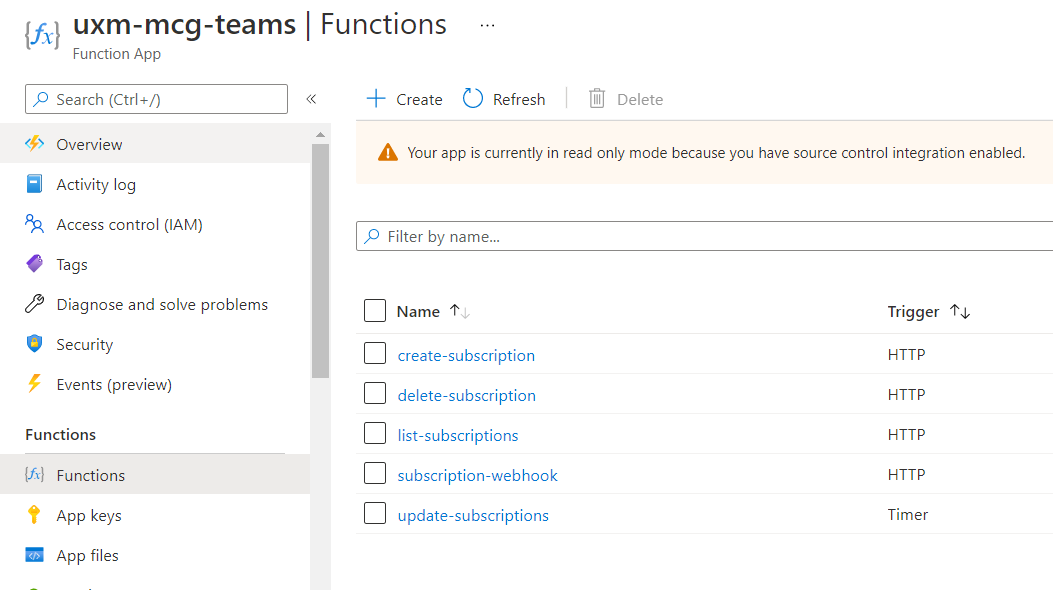
Note: only callRecords subscriptions are created in this release.
- Get Function URL and execute
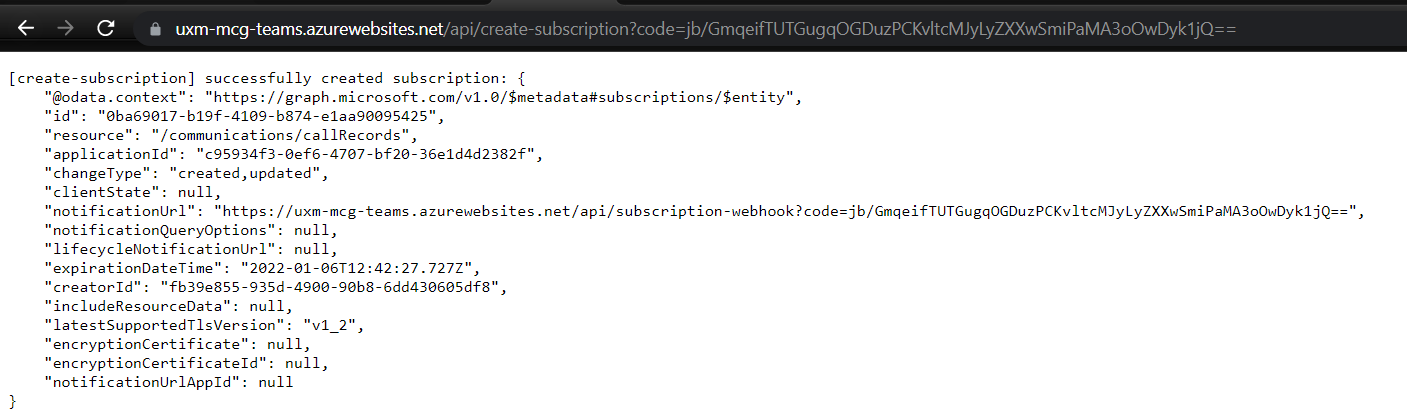
✅ Expected result:
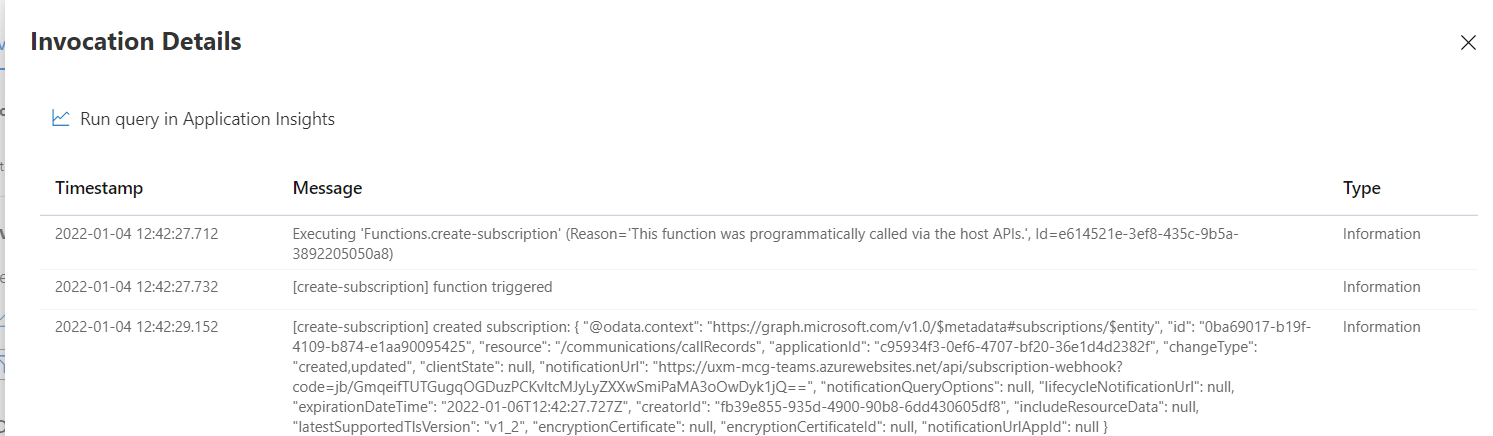
successfully created subscription

Info: you may receive a timeout when executing this function for the first time. In this event, refresh your browser. The reason for this is the create-subscription function makes a call to the subscription-webhook function which may not be running yet.
Manage Subscriptions
- To list subscriptions, execute the
list-subscriptionsfunction. - To delete a subscription, copy the subscription's ID to the
delete-subscriptionfunction.
Example: https://FUNCTION-APP.azurewebsites.net/api/delete-subscription?code=CODE&subscriptionId=SUBSCRIPTION_ID
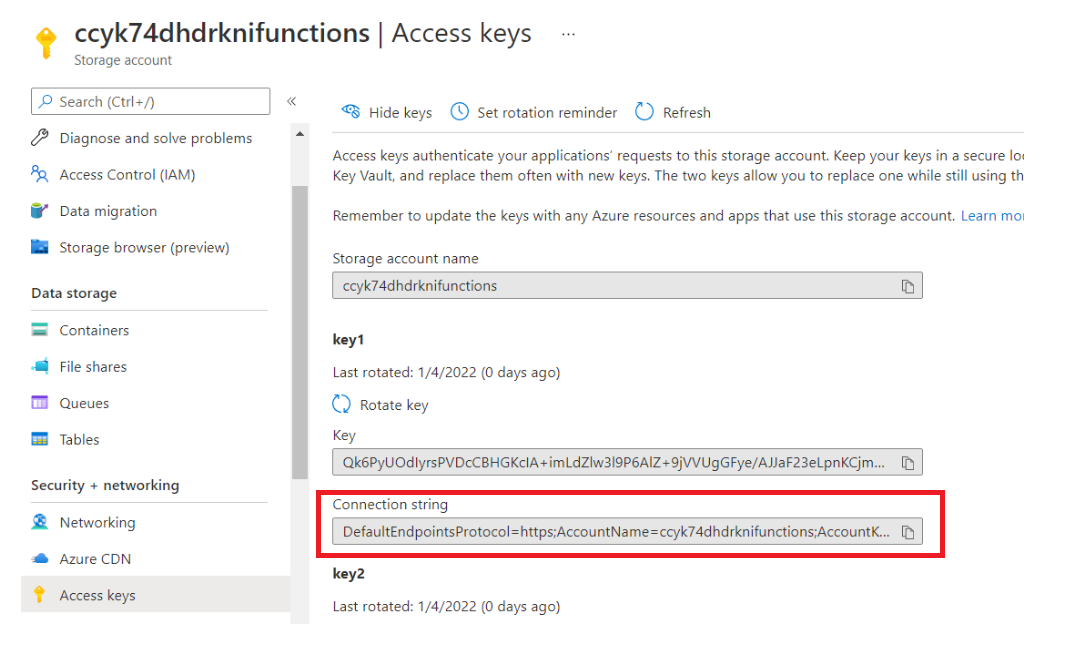
Storage Queue Key
-
Go to Storage Account → Access Keys
-
Copy Connection string (key1)
Setup Splunk Apps
-
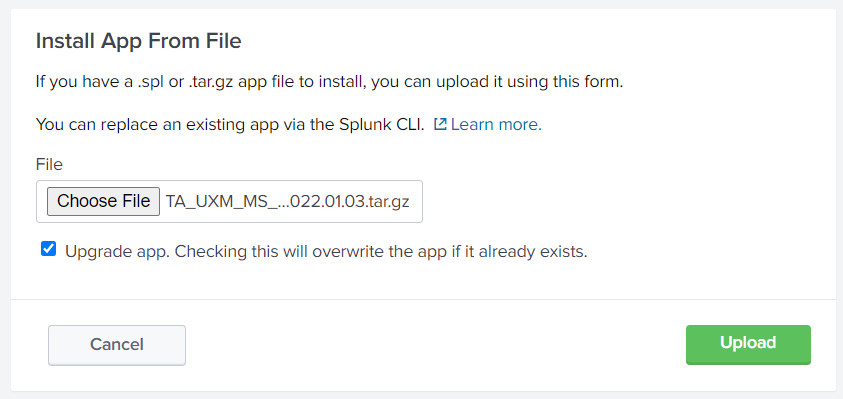
Install UXM Teams Add-on
-
Restart Splunk
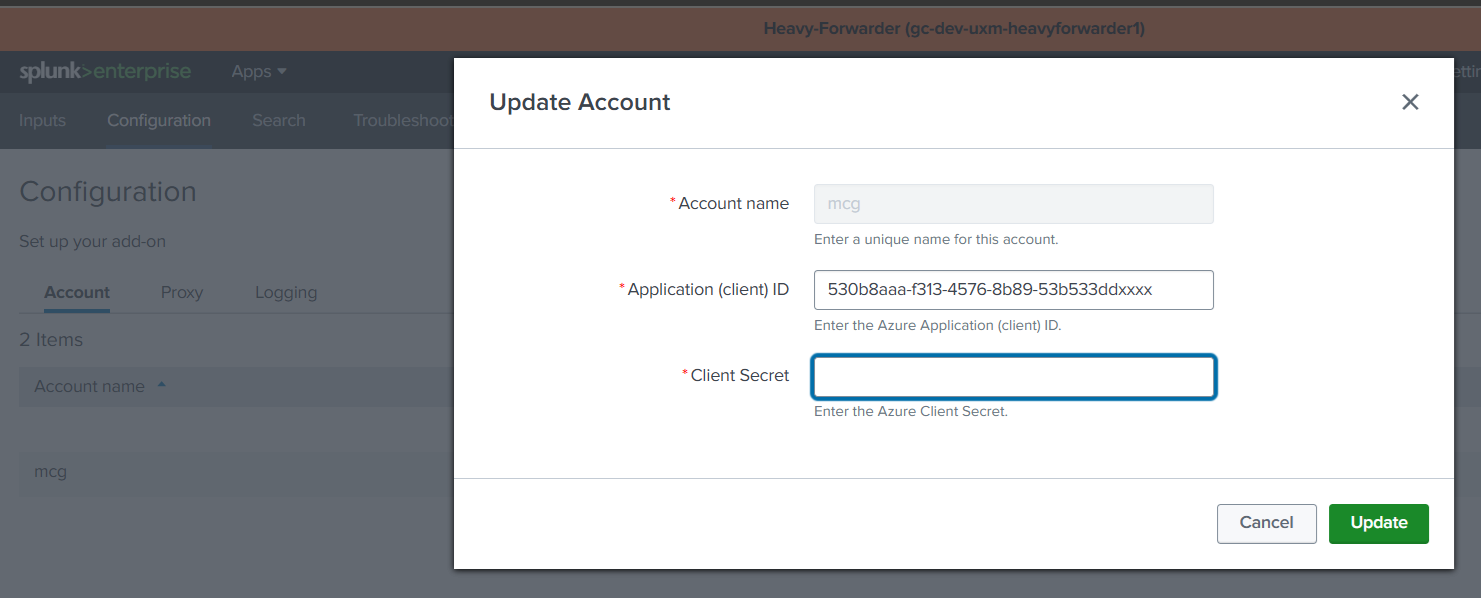
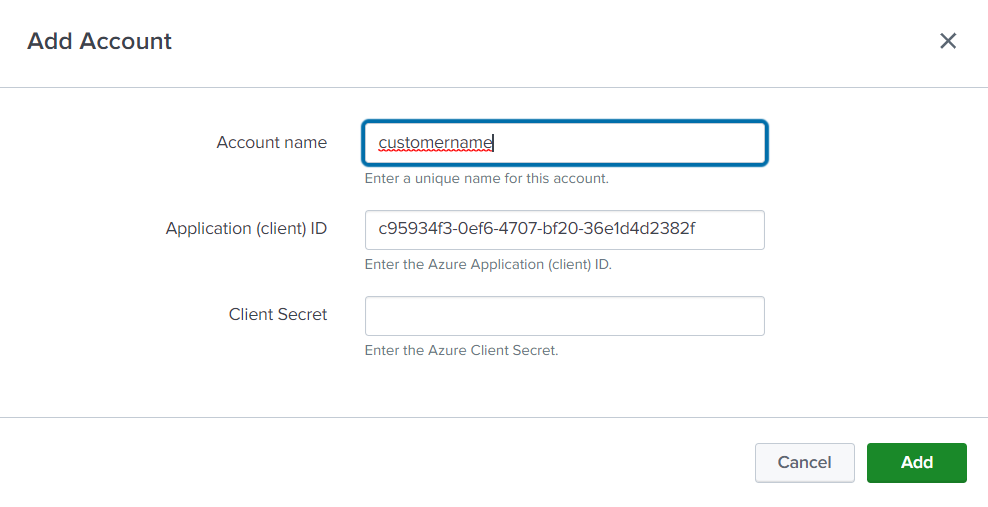
Configure Add-on
- Enter:
-
Account name: Teams account name
-
Application (client) ID: Client ID from application registration (Also called Application ID)
-
Client Secret: Client Secret from application registration
-
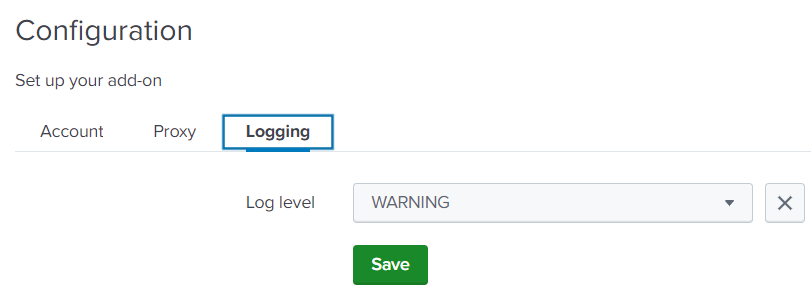
Logging
-
Set logging level to WARNING
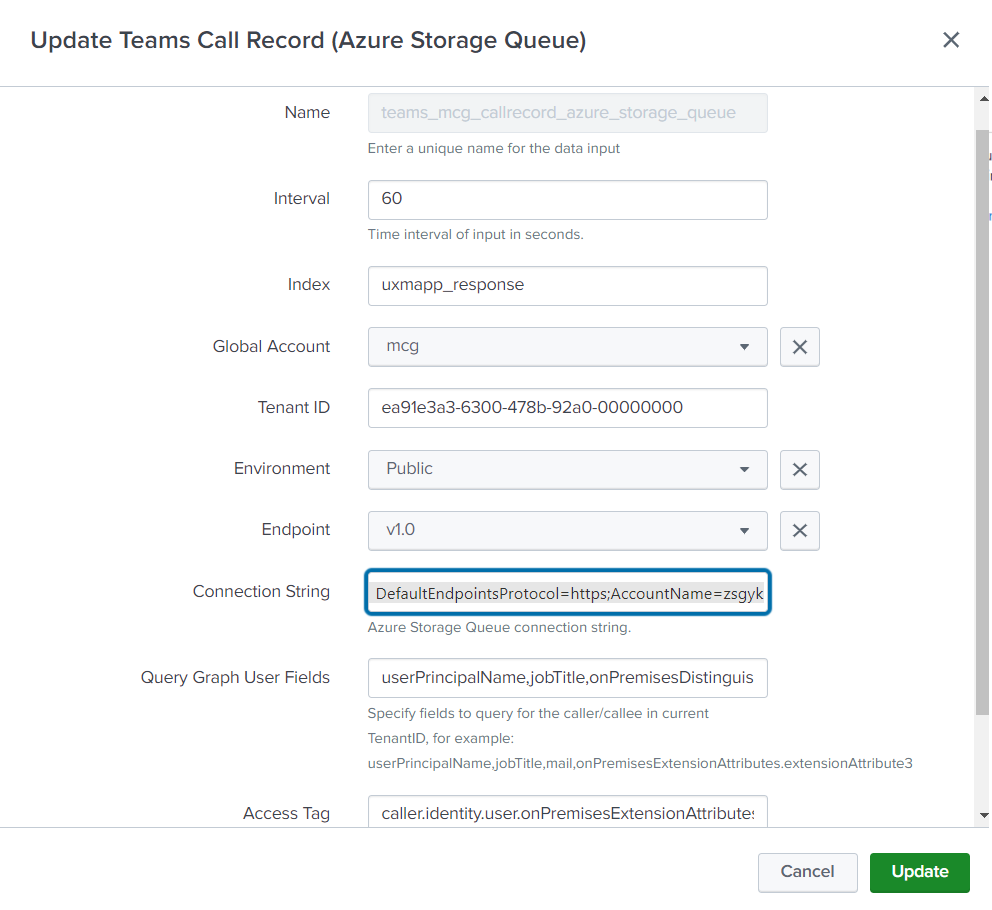
Create Teams Call Record Input
- Go to Inputs → Create New Input
- Configure:
-
Name: teams_tenantName_call_record_azure_storage_queue -** Interval:** 60 (How often the script executes and requests ConferenceID's received on Storage Queue)
-
Index: Store under uxmapp_response or uxmapp_customerName_response or custom index, (The
getIndexTeamsmacro under uxmapp can be changed to support custom indexes) -
Global Account: Use Account created under Configuration
-
Tenant ID: Use customers Tenant ID provided.
-
Connection String: Use key1 "Connection String" from the Azure Storage Access Keys, it should be readable and start with the text: DefaultEndpointsProtocol:*.
-
Query Graph User Fields: Specify fields to query for the caller/callee in current TenantID. (Leave empty if User.Read.All API permissing isen't granted)
-
Access Tag: Select field to use as access tag for later limiting Splunk user roles access to the data.
Troubleshooting
Splunk Logs
index="_internal" source="*ta_uxm_ms_teams*"
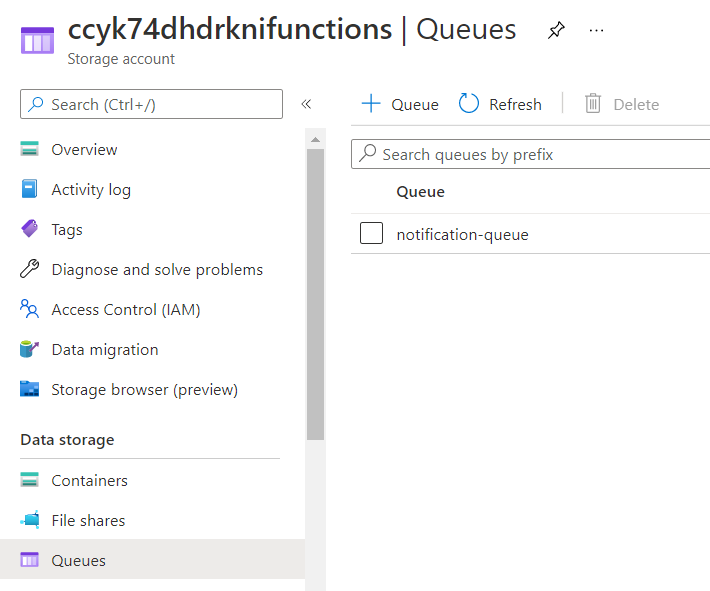
Azure
-
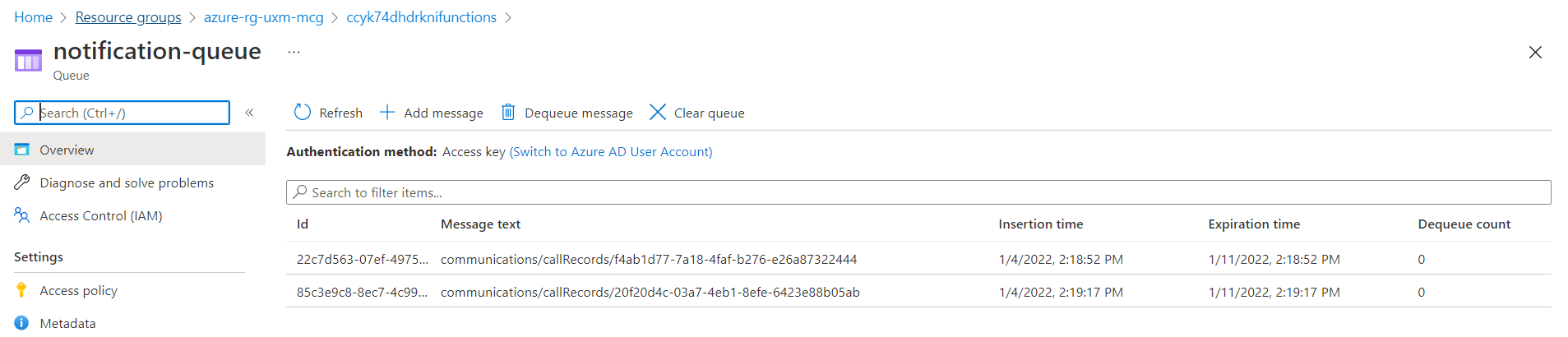
Notification Queue
-
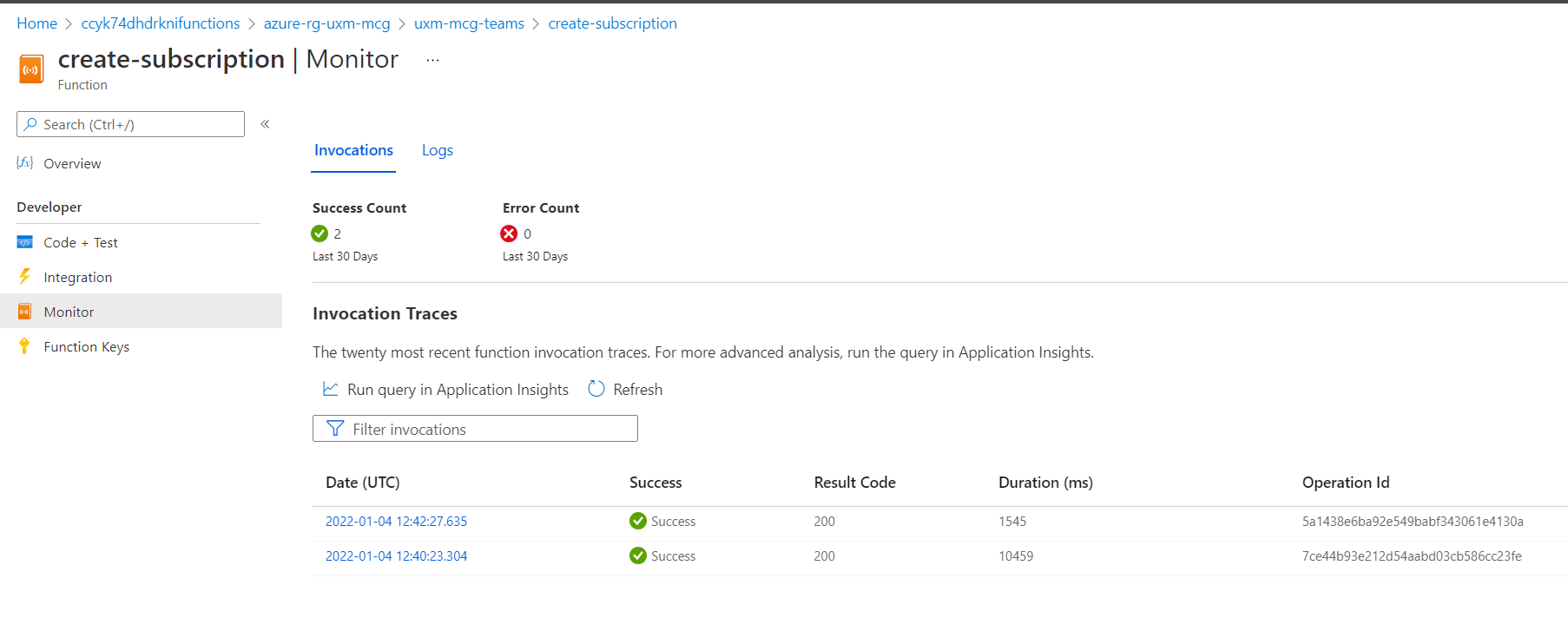
Function Logs
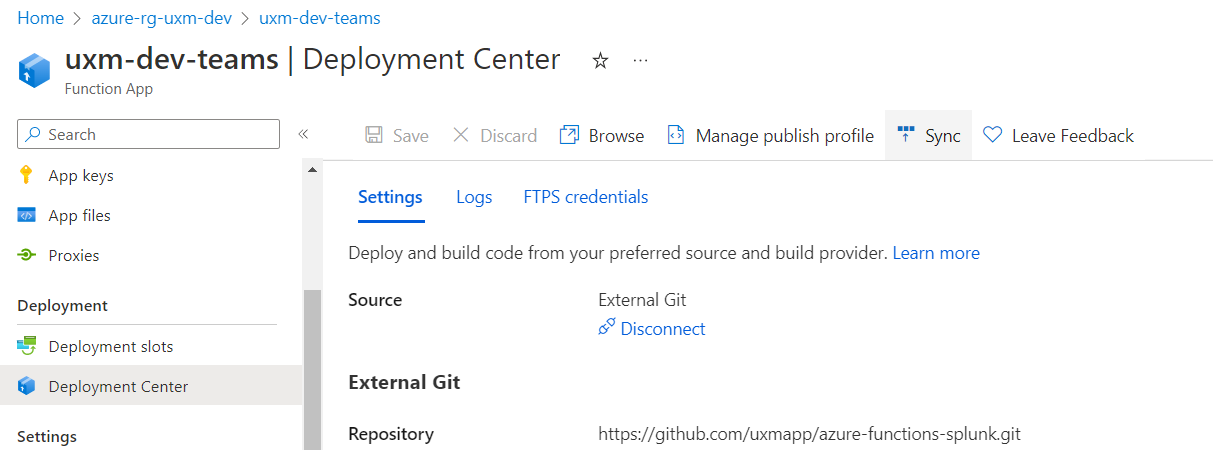
Upgrade Azure Functions
-
Go to Deployment Center → Sync
-
Update:
-
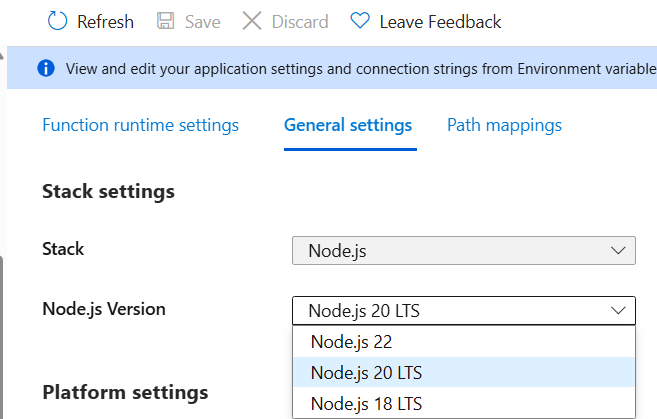
Node.js (latest LTS)
-
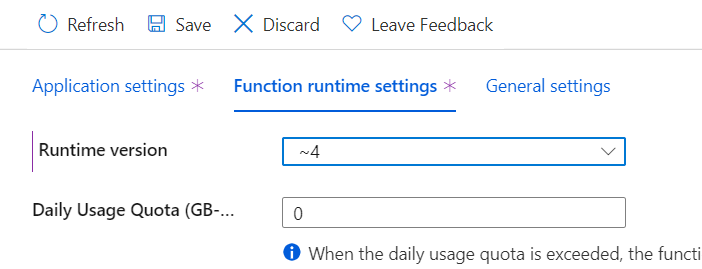
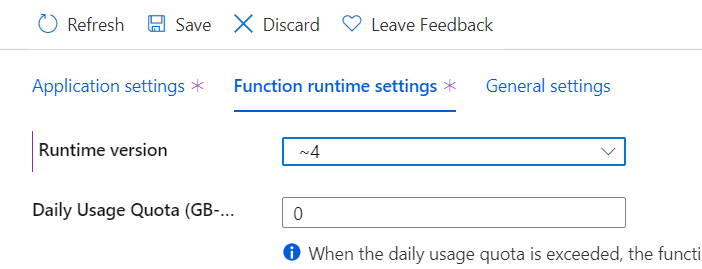
Runtime version 4
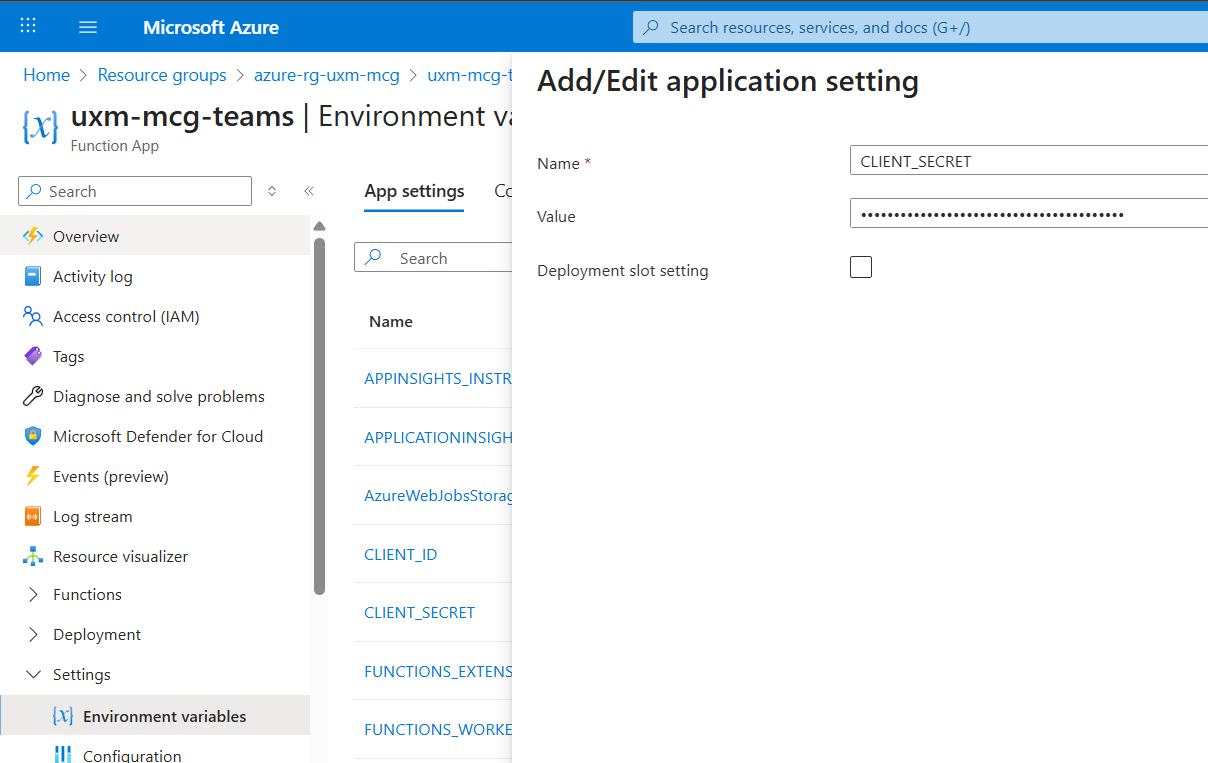
Update Expired Client Secret
-
Create new client secret
-
Update in:
- Azure Functions
- Splunk App
-
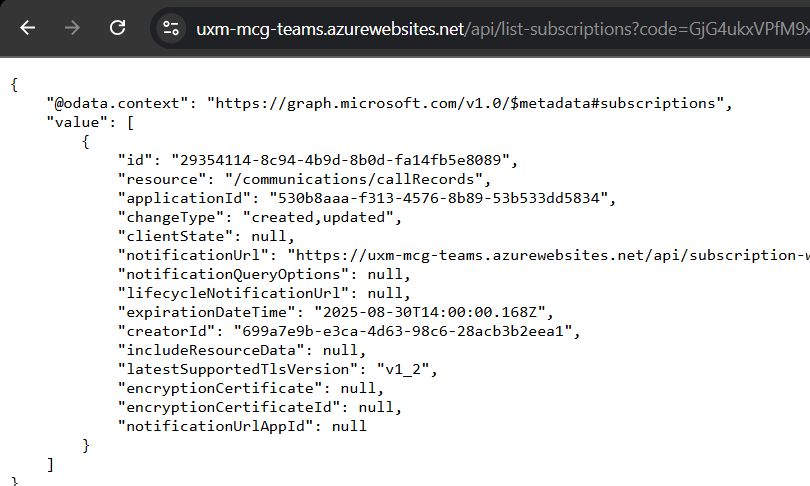
Verify:
-
Run
list-subscriptions

-
Re-run
create-subscriptionif needed