UXM and ServiceNow integration
UXM (Splunk) and ServiceNow Integration
Setting up integration between UXM (Splunk) and ServiceNow involves configuring both platforms to communicate effectively so that events and incidents detected in UXM/Splunk can be automatically sent to ServiceNow for further action or resolution.
Example
Scenario:
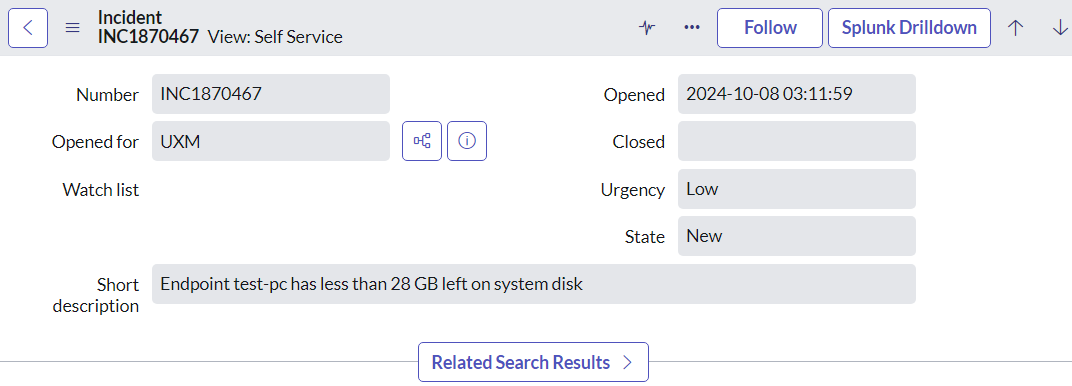
Endpoint has less than 28 GB left on system disk.
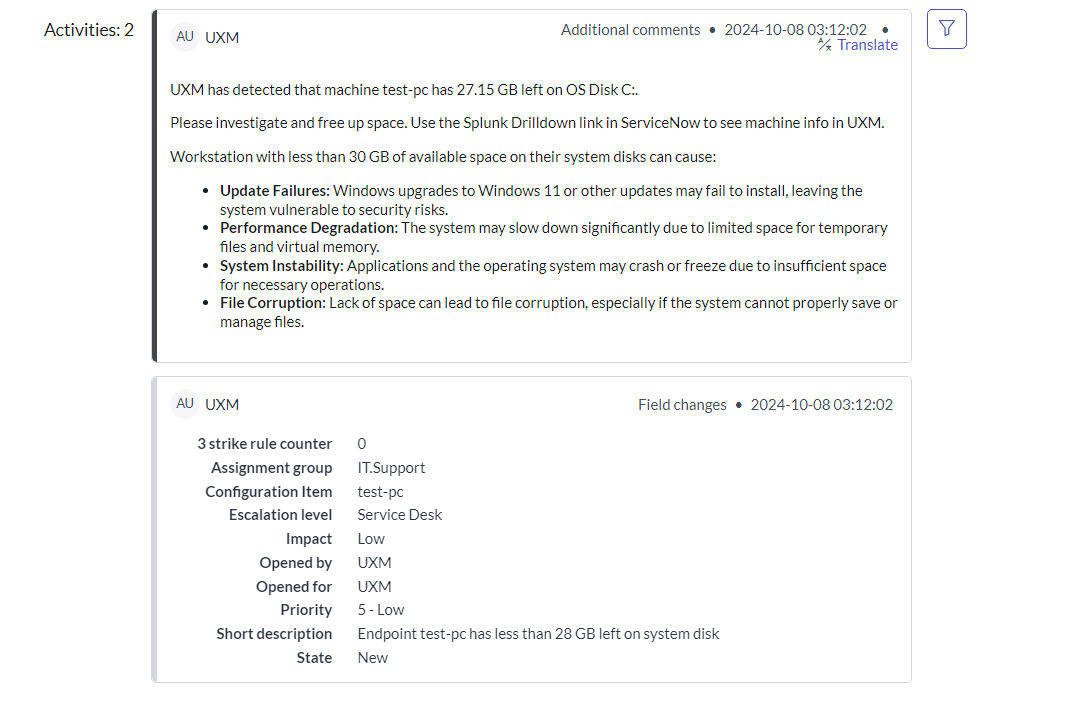
UXM detects that the endpoint has under 28 GB disk space left on the OS disk and creates a ServiceNow incident.
- Results from UXM can be added to short description, comments, etc., for details on endpoint status when the incident was created.
- Assignment group can be dynamically set based on Country/Region of the endpoint machine.
- Recommended: Use region/location from Active Directory OU to avoid incorrect assignment due to VPN or travel.
Clicking on the Splunk Drilldown button will open the Endpoint details dashboard inside UXM.
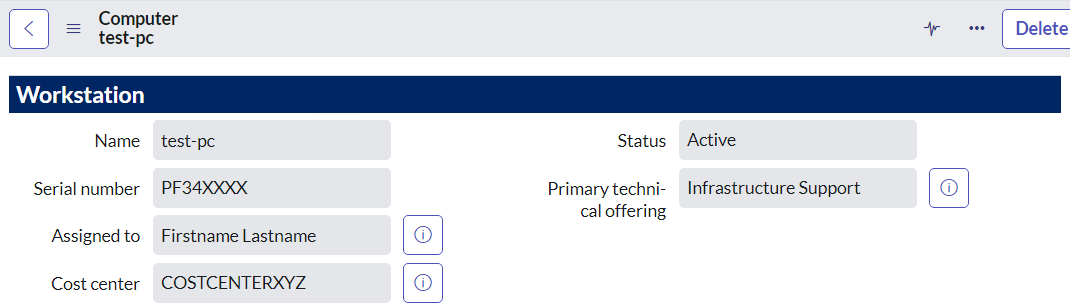
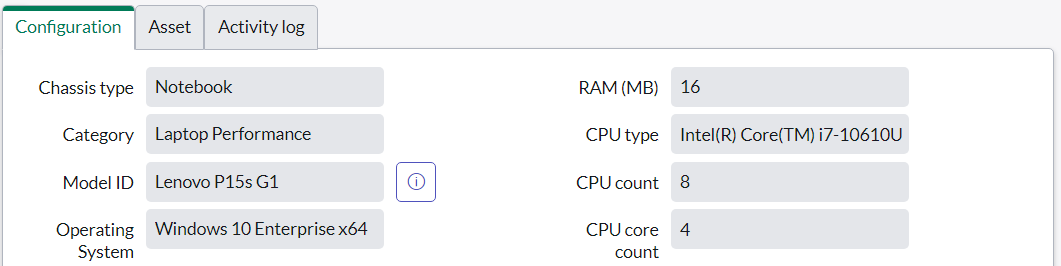
Affected CI / Configuration Item can be set to the endpoint machine to allow the ServiceNow team to:
- Look up more information
- View other incidents affecting the same machine
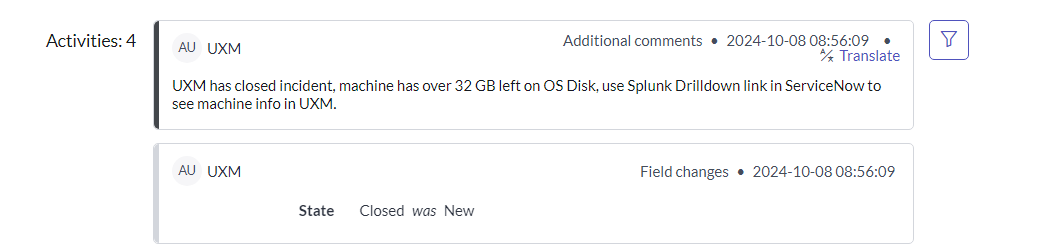
After the disk is freed up, UXM reports to ServiceNow that the incident is resolved and automatically closes it.
Configuration
ServiceNow Configuration
Follow the official guide to configure Splunk ServiceNow integration:
https://docs.splunk.com/Documentation/AddOns/released/ServiceNow/ConfigureServiceNowtointegratewithSplunkEnterprise
The following app will be installed on ServiceNow, enabling Splunk to query the API and create/pull incidents:
https://store.servicenow.com/sn_appstore_store.do#!/store/application/bac6db564f6a3100a0fc7d2ca310c721
- Mandatory fields must be correctly configured/mapped in the Splunk → ServiceNow transform sets
UXM Configuration
Account
Install the Splunk Add-on for ServiceNow from:
https://splunkbase.splunk.com/app/1928/
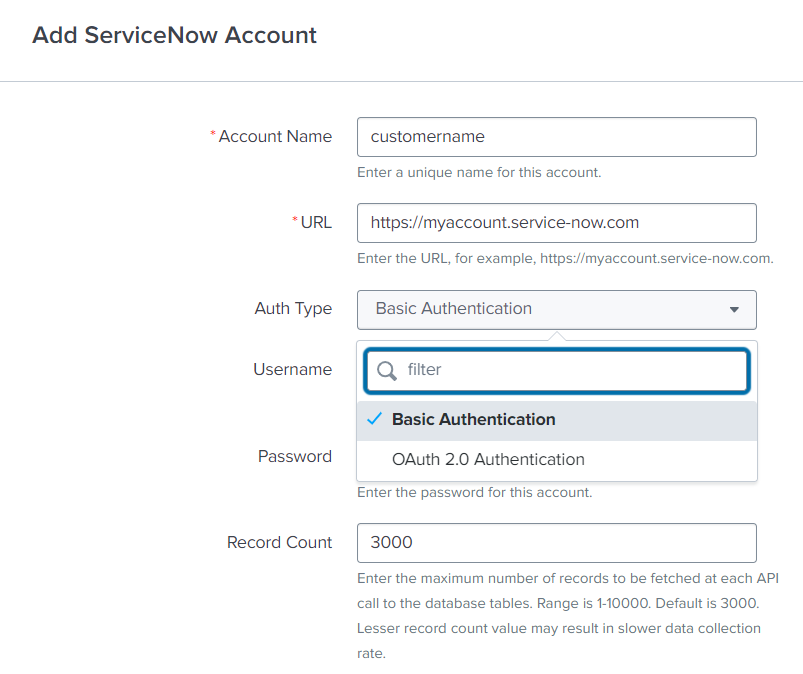
- Open the add-on and configure the ServiceNow service account
- Supported authentication:
- Basic
- OAuth2
Inputs
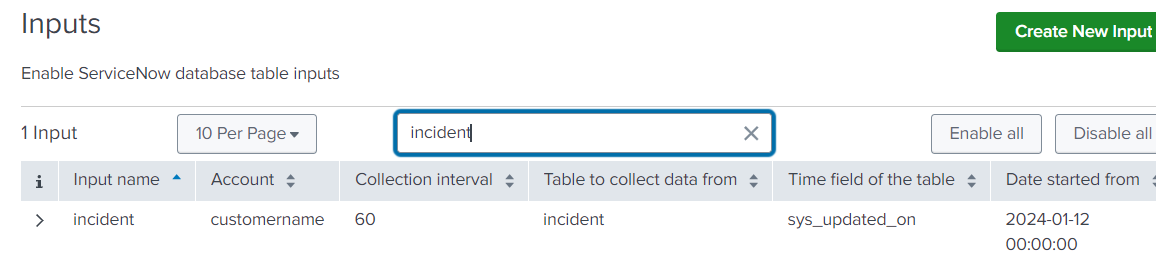
- Incidents can be imported into Splunk/UXM via:
input_name = incident
Alerts - UXM Alert Manager
The UXM Alert Manager handles scenarios where no data is received from:
- Endpoint
- Application
- Team Room
- etc.
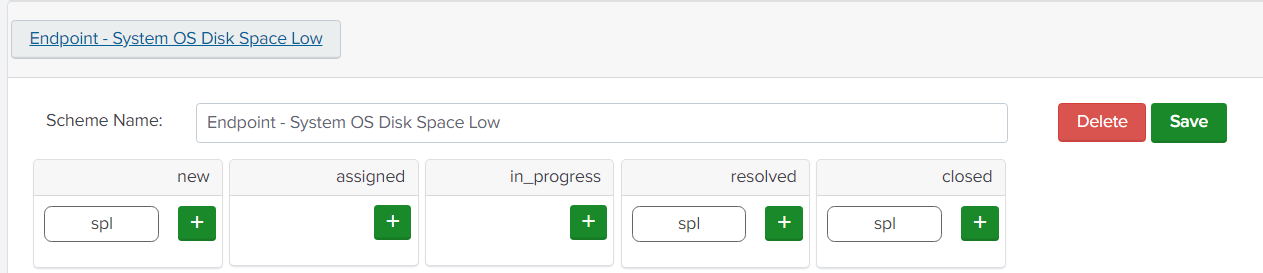
You can create notifications that handle:
- Alert creation
- Auto-resolution
- Alert closure
Supported actions:
- Microsoft Teams
- Webhooks
- SPL (for custom integrations via Splunk Add-ons)
Using Search Results in Actions
Results from searches can be used in actions via:
$result.fieldName$
Example: Creating a ServiceNow Incident
| makeresults 1
| eval ad_country = lower("$result.ad_country$")
| lookup servicenow_country_to_local_it_group_lookup country AS ad_country OUTPUT servicenow_assignment_group | fillnull value="ServiceDesk" servicenow_assignment_group
| eval account="servicenow_prd"
| eval scripted_endpoint="/api/now/table/x_splu2_splunk_ser_u_splunk_incident"
| eval category=""
| eval short_description="$result.threshold_text$"
| eval contact_type="Event"
| eval splunk_url="https://customername.uxmapp.com/en-US/app/uxmapp/endpoint_details?form.timesel.earliest=-7d%40d&form.timesel.latest=now&lookup_key=$result.context$&form.link=disks&sort=avg_cpu&form.programs_search=*&form.metricspan=1d&form.logname=*&form.event_source=*&form.event_level=*&form.event_id=*&form.rows=25&form.eventlog_search=*&form.devices_search=*"
| eval urgency="5"
| eval impact="5"
| eval subcategory=""
| eval state="1"
| eval comments="[code]<p>UXM has detected that machine $result.hostname$ has $result.free_space_left_gbytes$ GB left on OS Disk $result.mount_point$.</p><p>Please investigate and free up space. Use the Splunk Drilldown link in ServiceNow to see machine info in UXM.</p><p>Workstation with less than 30 GB of available space on their system disks can cause:</p><p><ul><li><b>Update Failures:</b> Windows upgrades may fail, increasing security risks.</li><li><b>Performance Degradation:</b> System slowdown due to limited space.</li><li><b>System Instability:</b> Applications or OS may crash.</li><li><b>File Corruption:</b> Improper file handling due to lack of space.</li></ul></p>[/code]"
| eval location=""
| eval correlation_id="$result.correlationID$"
| eval priority="5"
| eval assignment_group=servicenow_assignment_group
| eval ci_identifier="$result.hostname$"
| snowincidentstream
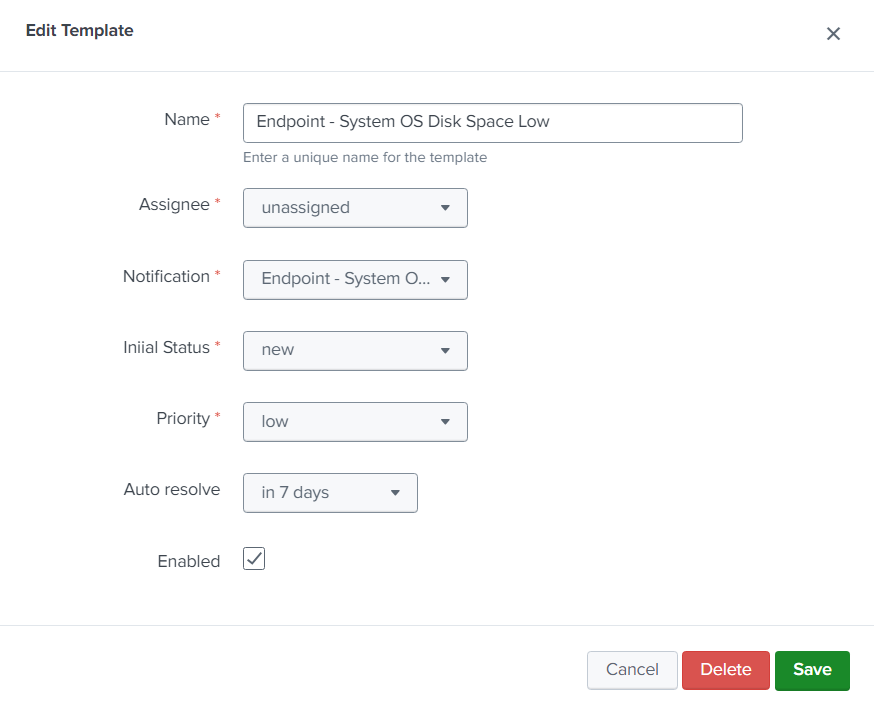
Templates
Create templates that define:
- Assignee
- Initial status
- Priority
- Auto-resolution behavior (when no data is received)
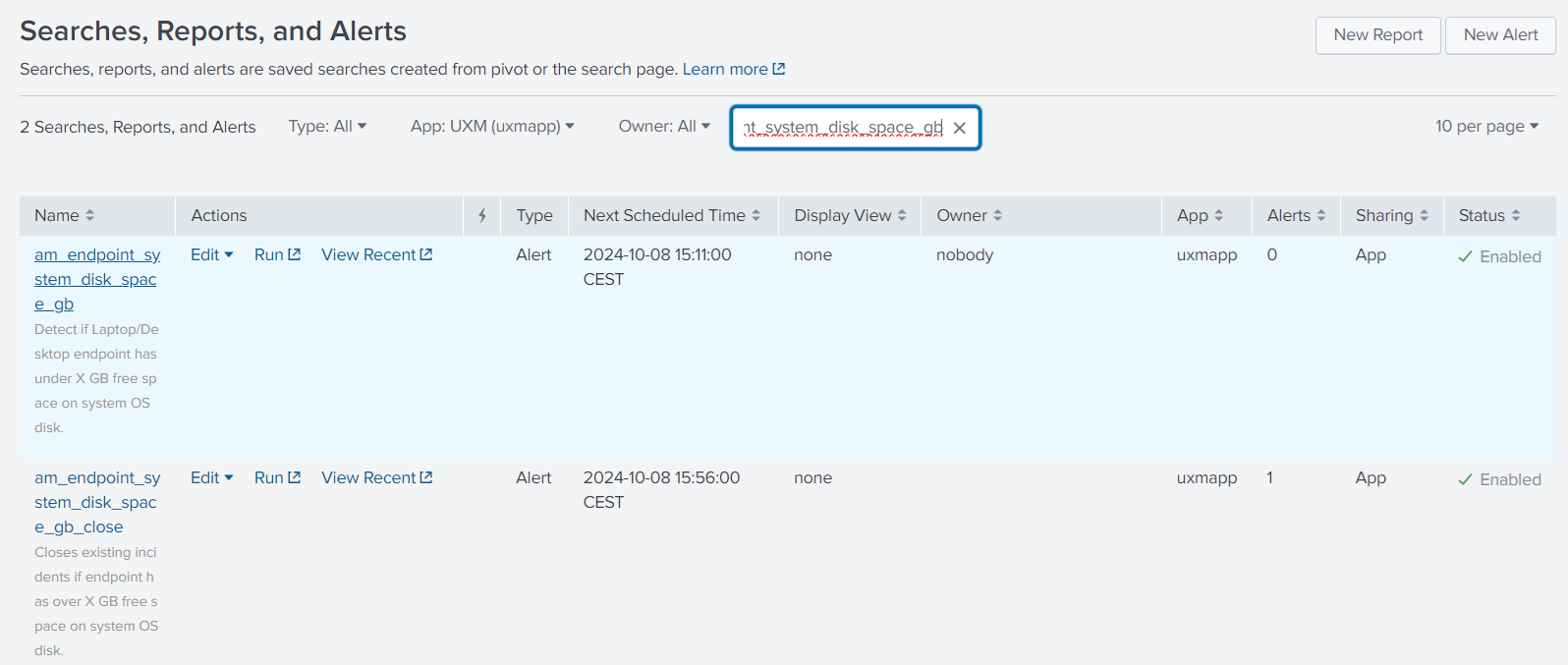
Enable Saved Searches for:
- Creating incidents
- Closing incidents
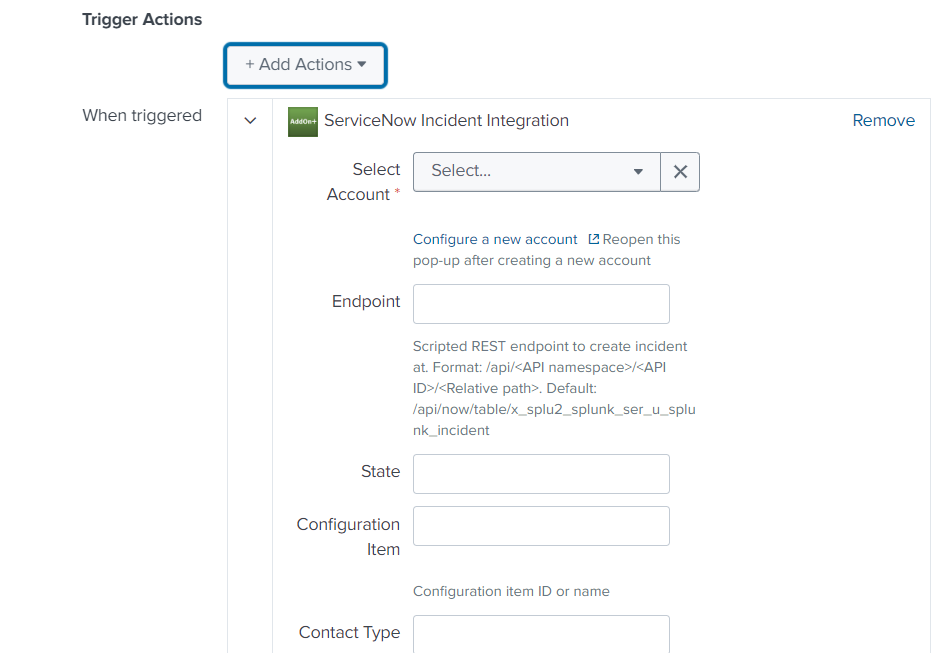
Alerts - ServiceNow Incident Integration
Alerts can be sent to ServiceNow from Scheduled Saved Searches as:
- Incidents
- Events
UXM must know the following values (may vary per customer):
- State
- Contact Type
- Assignment Group
- Category
- Subcategory
- Impact
- Urgency
- Priority
Correlation ID
- Used to ensure only one incident is created
- If the incident already exists:
- It will be reopened
- Or updated/appended instead of creating a duplicate
